Automation-first school operations

Less manual work. More control.

Ezyo helps schools and institutes manage students, fees, teacher payments, overdue follow-ups, receipts and ID cards—with practical automation and AI-assisted data capture.

AI-assisted student entry Automatic WhatsApp reminders QR-enabled fee cards
Demo preview
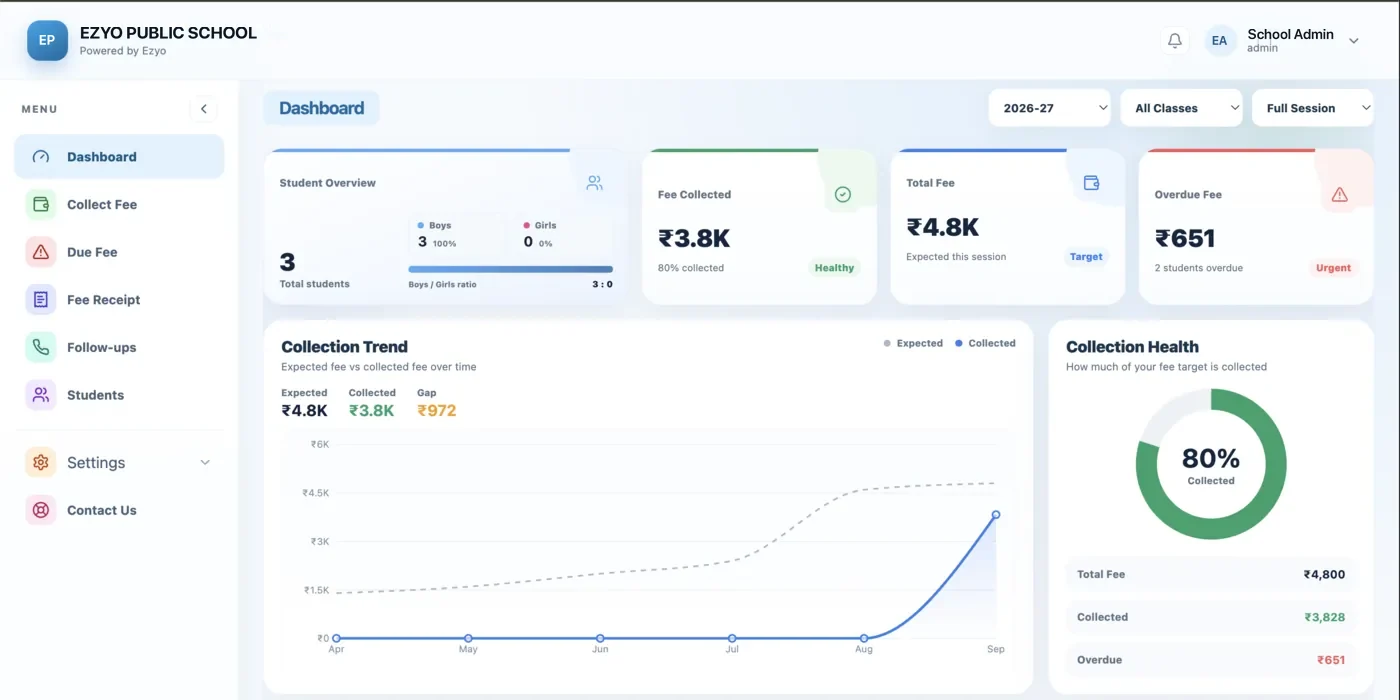
EZYO AUTOMATION DASHBOARD
Today’s Operations
Fee follow-ups42
Receipts shared68
Students1,248

Built for how Indian schools actually run

100+Schools & institutes onboarding with Ezyo
6Recurring workflows automated end to end
24x7Cloud access from phone or desktop
DaysSetup time with a clean student list
What Ezyo automates

Turn repetitive school work into automatic workflows

Set up the rule once. Ezyo helps your team handle recurring fee, communication, data-entry and student-service tasks with fewer manual steps.

Fees

Automatic Fee Management

Create recurring fee schedules, generate dues, track paid/partial/overdue status and keep student fee history updated.

Trigger: billing date or enrollment → fee due is created.
Staff

Teacher Payment Tracking

Configure recurring teacher or staff payment schedules, create monthly payable records and track paid versus pending amounts.

Trigger: monthly schedule → staff payable entry is prepared.
AI

Photo-to-Student Data

Capture or upload a form/photo. AI assists in extracting student details and prepares a draft record for your team to review before saving.

Trigger: photo captured → fields are extracted into a draft.
WhatsApp

Automatic Overdue Reminders

When a fee becomes overdue, Ezyo can queue approved WhatsApp reminder templates with student and due details for automatic follow-up.

Trigger: due date passed → reminder workflow starts.
Student ID

ID Card Generator

Use the same verified student record to create digital or print-ready ID cards—without entering the same data again.

Trigger: student approved → ID card can be generated.
QR + Receipt

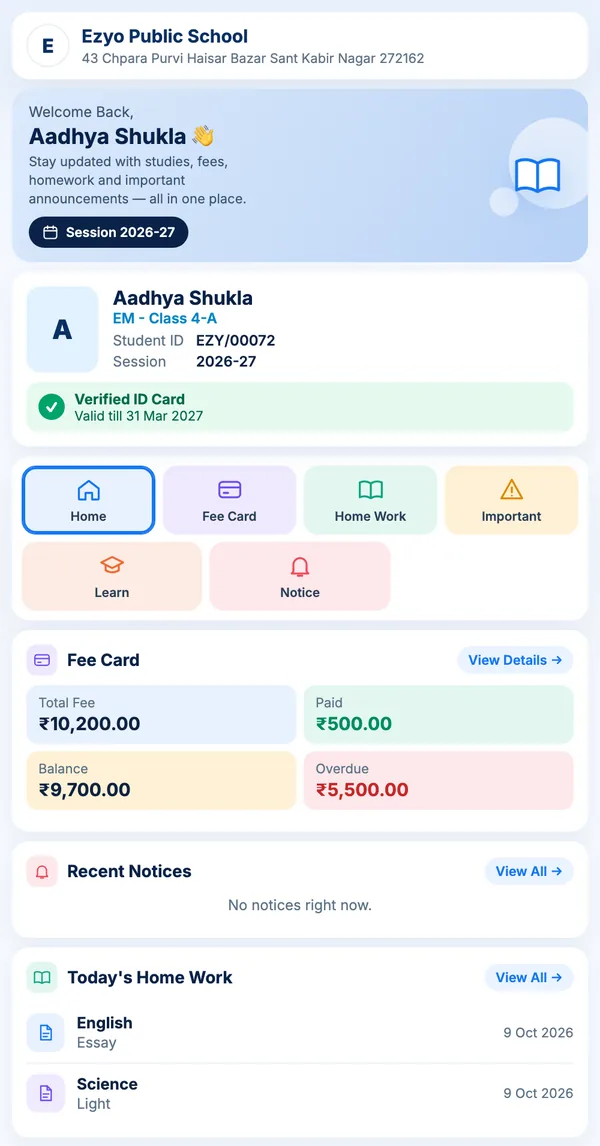
QR Fee Card & Receipt Sharing

Scan a student QR to open a secure fee-card view. After payment, generate a digital receipt and share it with the parent on WhatsApp.

Trigger: payment recorded → receipt generated and share-ready.
One connected flow

From student entry to fee follow-up—automatically

Ezyo connects events instead of making the team repeat the same work in different screens.

01

Create student

Enter manually, import, or use AI-assisted photo capture to prepare a draft student record.

02

Assign fees

Recurring or one-time fees are linked to the student and due dates are calculated from configured rules.

03

Follow up

Overdue status can trigger WhatsApp reminders so the office does not manually check every student.

04

Receipt & QR

Record payment, generate the receipt, share it, and keep the student's secure QR fee-card history updated.

AI-assisted data capture

Capture a photo. Prepare the student record.

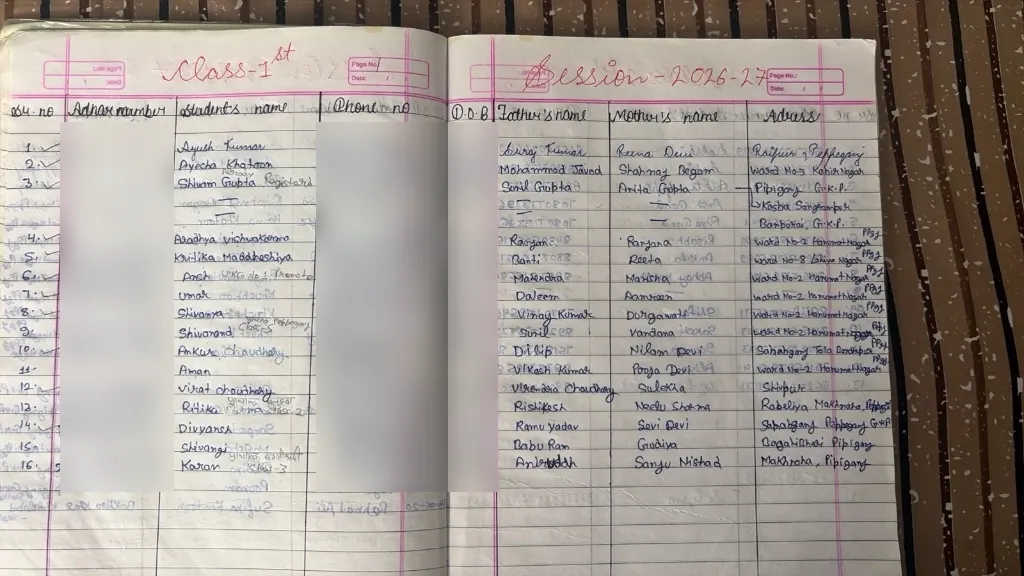
Use camera/photo input to reduce repetitive data entry. Ezyo AI can assist in extracting visible fields, then your team reviews the draft before it becomes the official student record.

Capture or upload source image
Extract fields into a draft record
Review and correct before saving
Reuse verified data for fees and ID cards
Capture student form / document
AI-assisted extraction
Capture Photo
Draft fields detected
Student nameRahul Kumar
ClassClass 8
GuardianRajesh Kumar
Phone98••••••42
StatusReview before create
Ezyo Student ID
Secure fee card

Student Fee Card

Tuition fee₹2,500
StatusPAID
Receipt#EZ-1048
Next due10 Sep
ID + QR + fee history

Scan the student card and open the fee card

The QR can point to a secure, permission-aware student fee-card page. The QR itself does not need to contain sensitive fee data.

Generate student ID cards from existing data
Unique QR linked to the student fee-card route
See payment status and available receipts
Share receipt with parent after collection
Core platform

Everything still stays connected to one student record

Automation works best when students, fees, receipts, communication and reports are not separate systems.

Fee Management

Fee structures, billing rules, dues, partial payments and full student fee history.

Explore fee management →

Online Fee Collection

Keep online payments connected with student balances and receipt records.

Explore collection →

Student Management

Enrollment, guardian, class, batch and academic session data in one profile.

Explore students →

WhatsApp Automation

Use fee events to trigger structured reminder and receipt communication workflows.

Explore WhatsApp →

ID Cards & QR

Create student cards and connect them to secure digital fee-card experiences.

Explore ID & QR →

Reports

Collection, pending and operational views to understand what needs attention today.

Explore school software →

What is Ezyo?

Ezyo is school management and fee automation software for schools, coaching centres and training institutes in India. It keeps students, fee structures, payments, receipts, parent communication and student ID cards on one connected record, so the office does not re-enter the same information in separate registers.

Ezyo at a glance

Built for
Schools, coaching institutes and training institutes in India, from under 300 students to multi-campus groups.
Core workflows
Fee structures and dues, online and offline collection, digital receipts, overdue WhatsApp reminders, teacher payment tracking, AI-assisted student data capture, student ID cards with QR fee cards.
Pricing
Custom, quoted in INR after a demo, based on student count and the workflows you enable. See pricing.
Deployment
Web-based. Works on a phone or desktop browser with no installation.
Role of AI
Data capture only. Fields extracted from an admission form become a draft that your staff approve before the record is saved. AI does not decide fee amounts, waivers or payment status.
WhatsApp requirement
Automatic reminders need a WhatsApp Business account and message templates approved by Meta. Per-conversation charges are billed by Meta.
Data on the QR card
A secure link or token, never raw fee data. Access rules decide what a scanner is allowed to see.
Getting started
Bulk import from your existing Excel sheet during onboarding. Setup takes days for a clean student list, longer if records need cleanup.
Frequently asked

Questions schools ask us

Does Ezyo automatically send overdue fee reminders?
Yes. Ezyo uses due-date and payment-status events to trigger configured WhatsApp reminder workflows. Production sending needs a connected WhatsApp Business account and message templates approved by Meta, which we help you set up during onboarding.
Can AI create a student record from a photo?
AI-assisted capture extracts visible student information from an admission form or document into a draft record. Your office team reviews and corrects the fields before the official record is created, so nothing enters your database unchecked.
What happens after a payment is recorded?
The student's balance updates, a receipt is generated against the student record, and the receipt can be shared with the parent through a connected channel such as WhatsApp.
What does the student QR code contain?
The QR contains a secure link or token, not raw fee data. When it is scanned, access rules decide what the viewer is allowed to see, so a lost ID card does not expose a family's payment history.
Do we need to move all our data at once?
No. Most schools start with student records and fee structures for the current session, then add reminders, receipts and ID cards once the office team is comfortable. We support bulk import from Excel.

Show us your current school process. We’ll map the automation.

Book a demo and tell us where your team is doing repetitive work today.