
One student identity
Student ID cards with a secure QR fee-card experience.
No 2–3 month wait: we deliver printed student ID cards with a QR code within 10 days. Parents scan the QR to see the fee card, homework and notices, with no app to install.
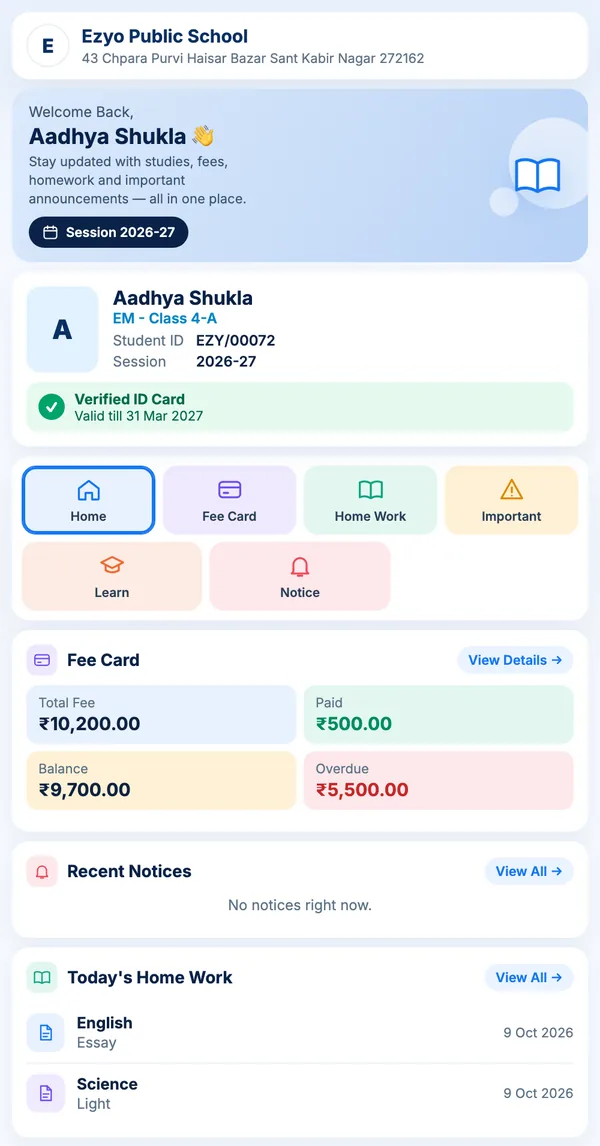
Scan → secure route
No need to print fee details on the card
The QR on each card holds a private link, not the student's details. Scanning it opens the student's card page, where parents see fees, homework and notices without installing an app.
Generate ID from student master data
Unique QR per student
Fee card, homework and notices for parents
Open and share digital receipts
Reuse verified data
One record, multiple student services
Student name, class, roll number, photo and fee identity come from the same source rather than being typed repeatedly.
ID Card
Create digital or print-ready student identity cards.
QR Fee Card
Open the secure student fee route from the physical card.
Receipts
View available payment receipts and share them with the parent.
Frequently asked
Questions schools ask us
How long does it take to get printed ID cards?
Within 10 days. Send us your student details and photos, and we deliver printed QR ID cards for every student within 10 days. No 2–3 month wait.
Can we print the ID cards ourselves?
Yes. Cards are generated from the verified student record in a print-ready format, so you can print in-house or send the file to a local vendor.
Is it safe if a student loses their card?
The QR contains a secure link, not fee data. Access is controlled by permission rules, so a found card does not expose a family's payment history.
Do we have to re-enter data to make cards?
No. Cards are built from the existing approved student record, which is the point of keeping students, fees and cards in one system.
Can the QR fee card show payment history to parents?
Yes, within the access rules you configure. Parents can see status and available receipts without calling the office.